Email Notification
Overview
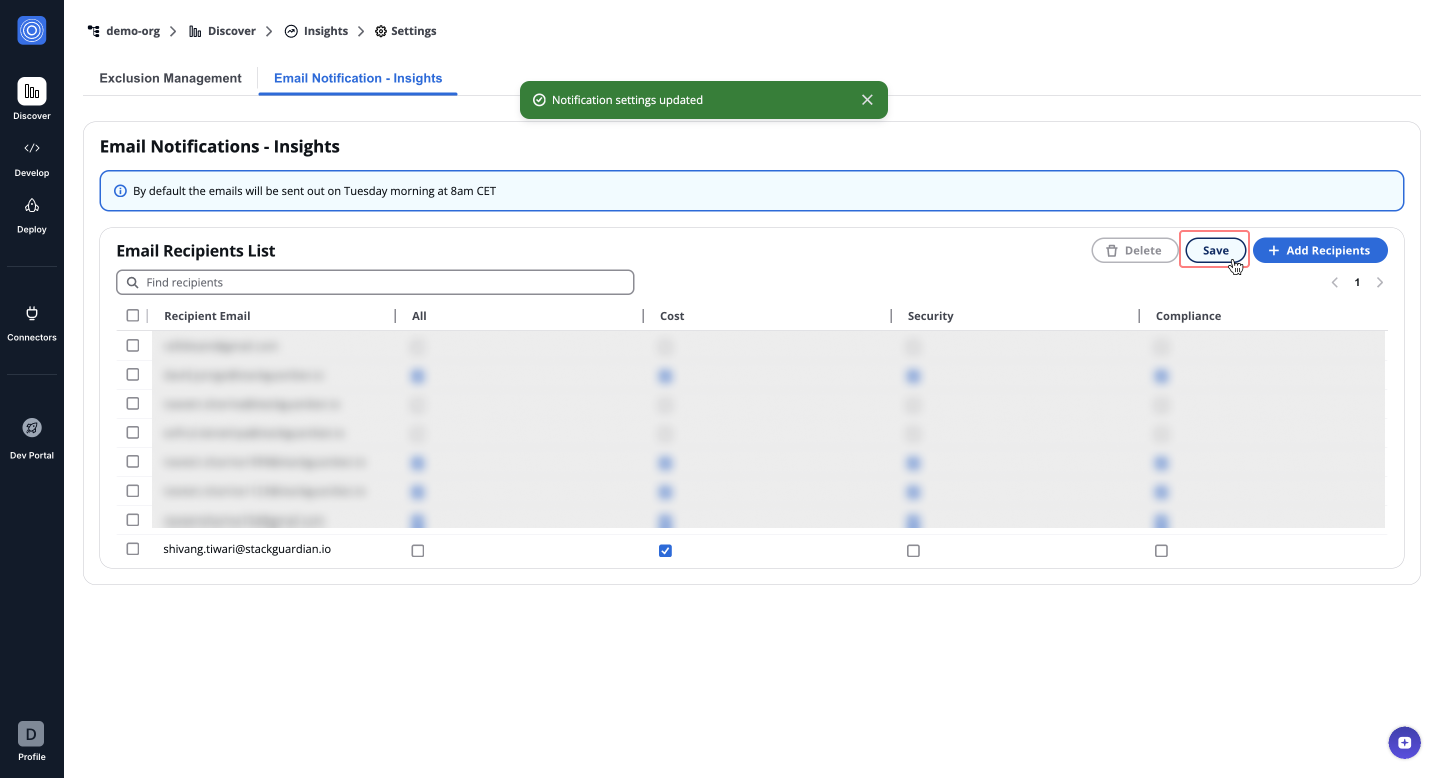
The Email Notification allow users to sign up for weekly progress in regards to cost, security and compliance benchmarks. Regularly tracking these metrics helps to gain visibility and identify systematic misconfigurations.
Accessing Email Notifications
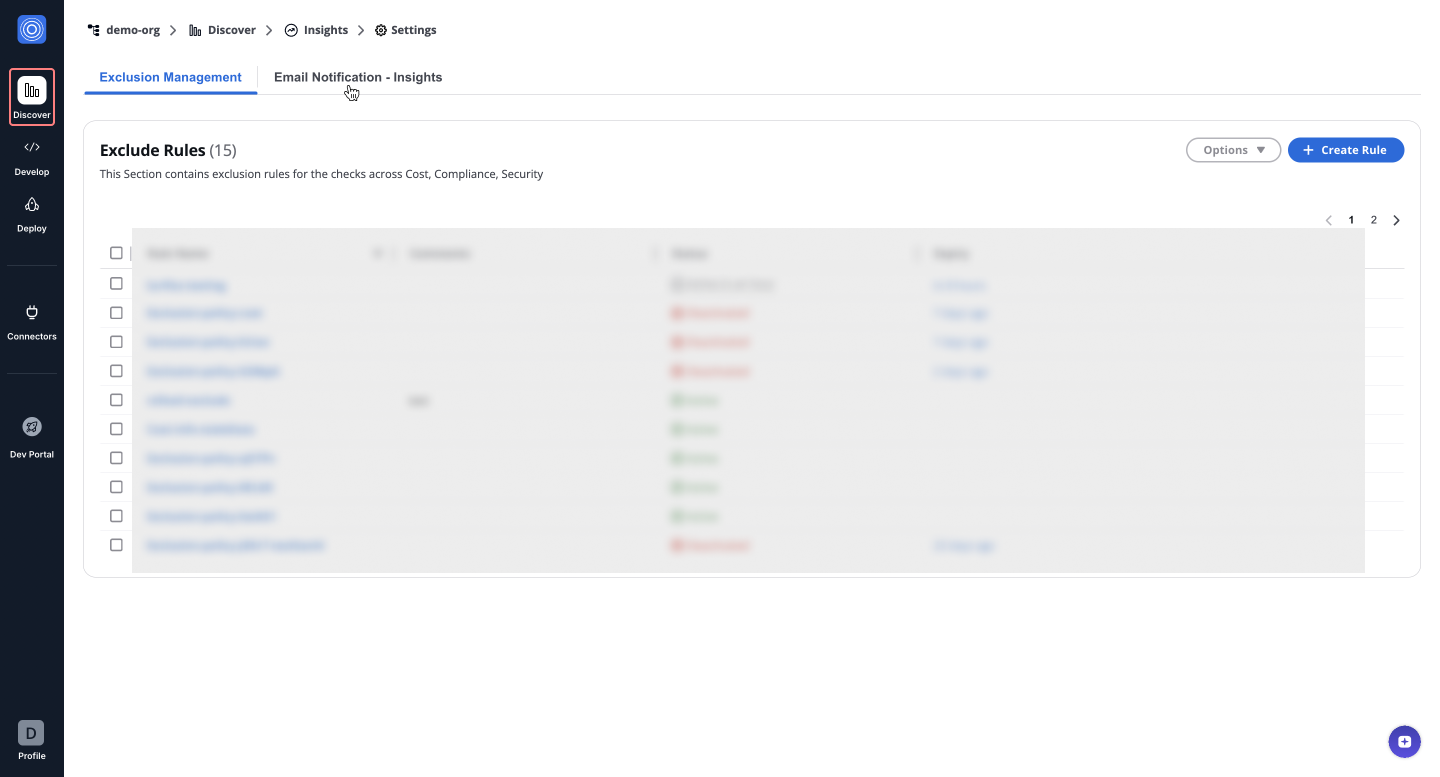
Go to SGCode > Benchmarks > Settings and select Email Notification - Insights.
Adding a new recipient
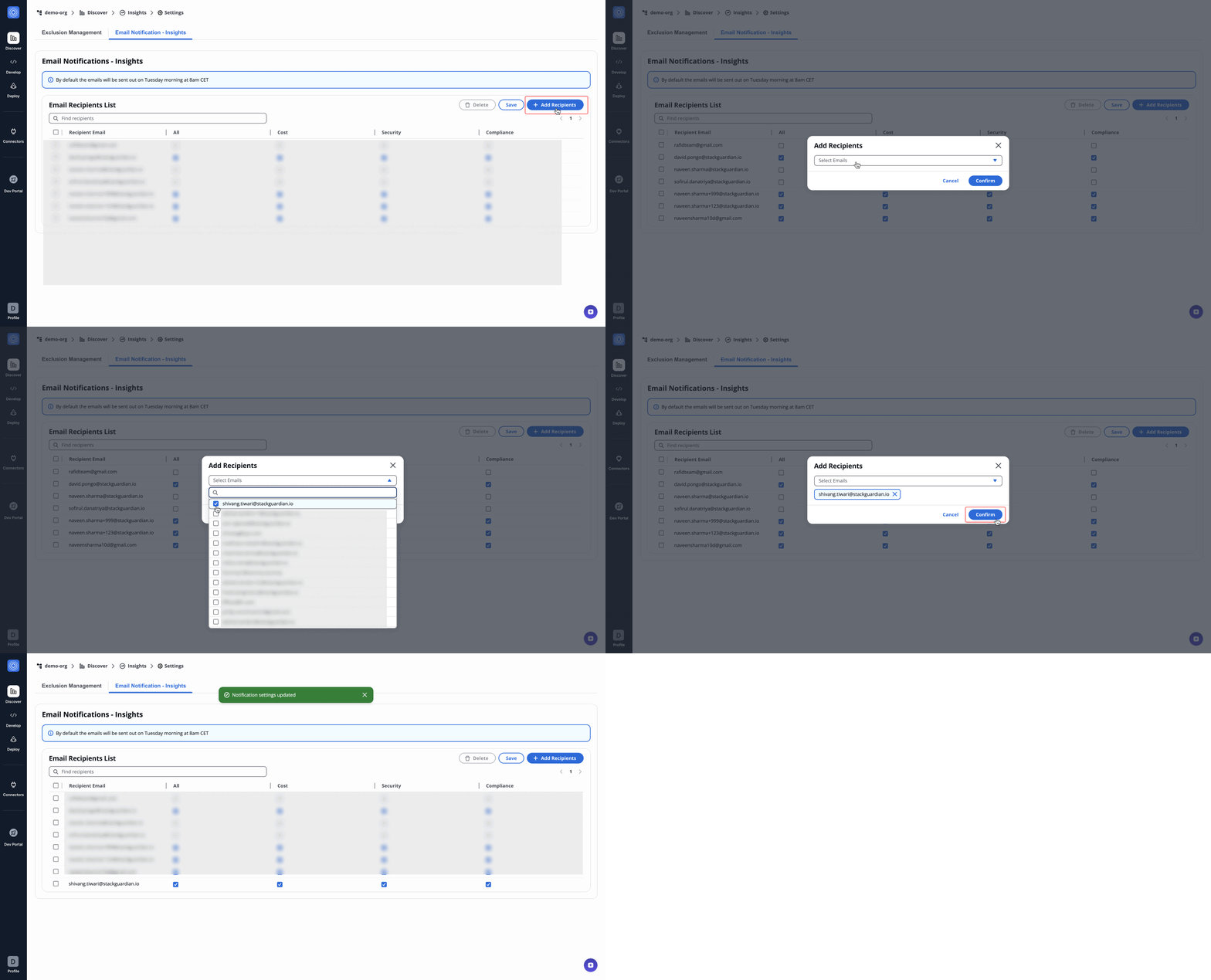
- Click Add Recipients.
- Select an email from the dropdown in the pop-up.
- Click Confirm to add the recipient.
note
After adding, assign notification types (Cost, Security, Compliance). By default, all categories are selected, ensuring recipients receive relevant updates.
Modifying or removing recipients
- Toggle Cost, Security, or Compliance to update notification preferences.
- Click Save to apply changes.
- To remove a recipient, select their email and click Delete.
info
Changes apply immediately, and recipients will receive updates based on the new settings.